
Overview
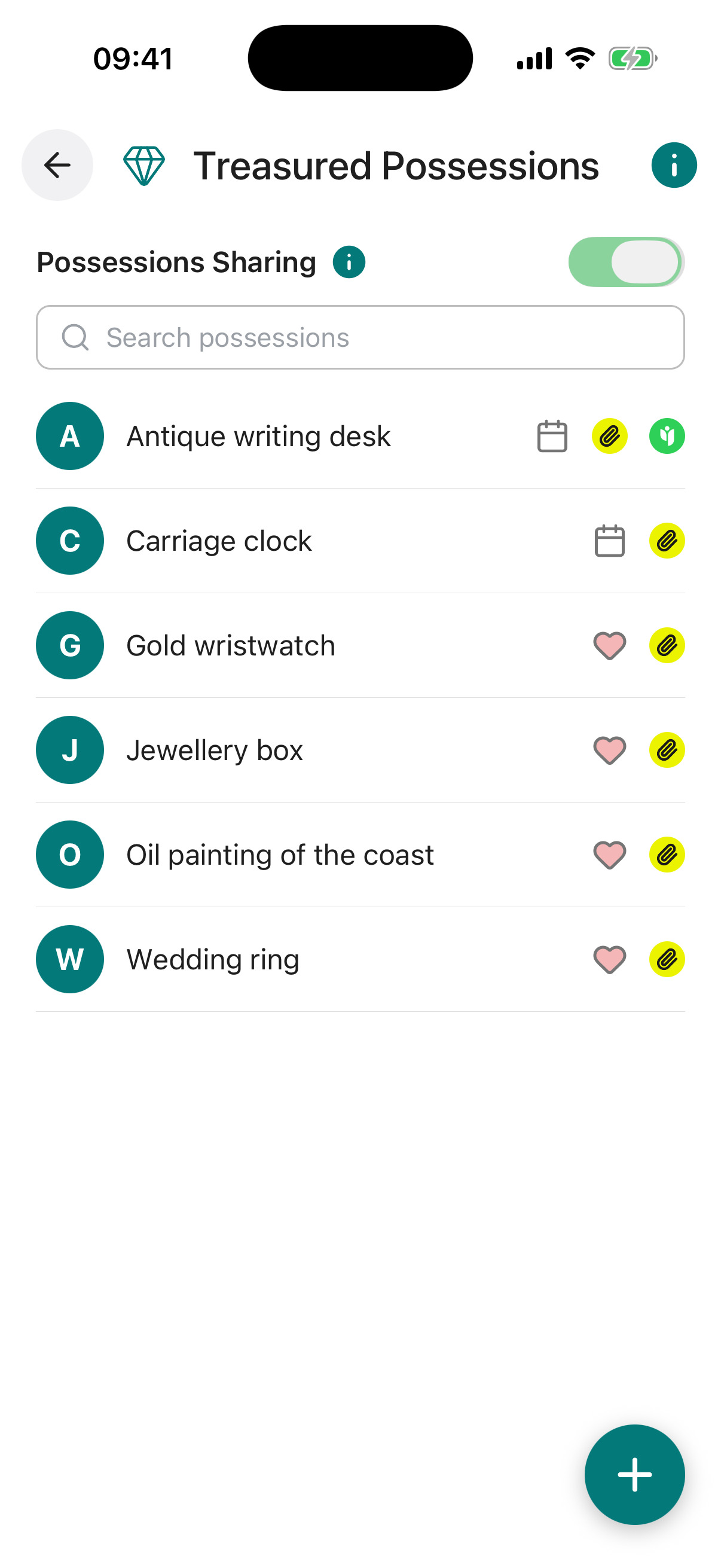
Treasured Possessions provides a structured list for cataloguing items you wish to bequeath, including timing details and recipient assignments. You can assign multiple recipients and add disposition notes as required, ensuring clear instructions for your legacy.
Selected information can be shared now to promote transparency among trusted individuals such as family members. The feature also serves as a practical inventory for insurance purposes, particularly for higher-value items.
All details are safeguarded with advanced encryption and row-level security, ensuring privacy and access solely for you or those you authorise.
When the toggle is on, every item you have shared is visible to the contacts you chose. When it is off, nothing is shared with anyone, even if individual items still have contacts set.
Your per-item sharing choices are always preserved, so you can switch everything back on at any time without setting it all up again.
Each possession in the list displays icons that give you a quick summary of its status at a glance.
There is no limit to the number of possessions you can add. The list doubles as a practical insurance inventory, so including photographs and valuations for higher-value items is strongly recommended. Keeping this list updated regularly ensures your Digital Executor has everything they need to act on your wishes accurately.
Title required. A clear, recognisable name for the item, for example “Grandmother’s Diamond Ring” or “Original Oil Painting”.
Description required. A detailed description of the item, including any relevant history, provenance or identifying features.
Value required. The estimated monetary value of the item. Select the appropriate currency using the dropdown. Useful for insurance records and estate planning.
Recipients required. One or more trusted contacts from your account who should receive this item. Multiple recipients can be selected.
To Be Bequeathed. Choose whether to pass on this item on your passing, or on a specific future date. If a date is selected, your recipient will be notified on that date regardless of your status.
Note to Digital Executor. Any specific instructions for your Digital Executor regarding this item, such as where it is kept or how it should be handled.
Insured Notes / Proof of Ownership. Details of any insurance policy covering this item, or notes about proof of ownership such as receipts, valuations or certificates.
Disposition Notes. Additional instructions about what should happen to this item, for example whether it should be sold, donated, divided, or kept within the family.
Share With. Choose one or more trusted contacts to share this possession entry with now. Selected contacts will be able to view the item details through their Trusted Access view.
Reminder. Set an optional reminder for this possession, with its own title, a short note, a date, and how often it should repeat (once, weekly, monthly, and so on). You can switch the reminder on or off at any time.
Attach Document / Photo / Video. Upload supporting files such as a photograph of the item, a valuation certificate, proof of ownership, or any other relevant document. You can upload from your device or pull a file straight from your Digital Vault.
Bequeathed on Passing. This item is set to be passed to the recipient when you pass.
Bequeathed on a Specific Date. This item is set to be passed to the recipient on a specific future date.