
Overview
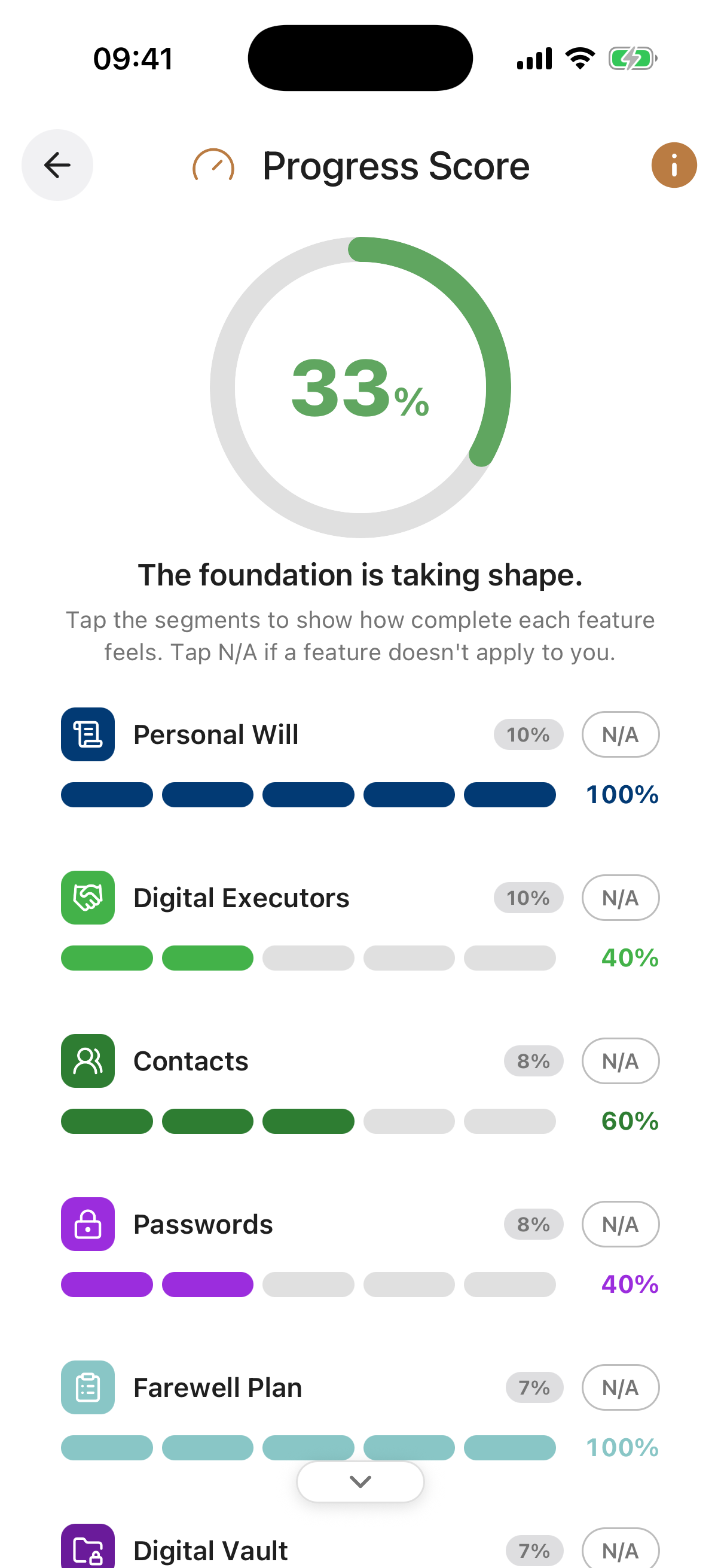
The Progress Score gives you an at-a-glance view of how well organised you are across your estate and legacy planning. Each feature in Inheritable appears as a row with a slider, and you move that slider to reflect how complete you consider that area to be. The sliders feed into a single weighted percentage score shown at the top of the screen.
Because everyone’s circumstances are different, you can include or exclude any feature from the score. If you do not have children, there is no reason for Child Guardians to affect your result. Excluding a feature removes it entirely from the calculation so your score reflects only what is relevant to you.
Screen Controls
Your score is a weighted average of the slider positions across all features you have chosen to include. Moving a slider for one feature towards the right contributes positively to your overall percentage. Features that are excluded from the calculation have no effect on the score, whether their slider is at zero or full.
The score updates immediately as you adjust sliders or change which features are included, so you can see in real time how your readiness changes as you make progress.
The score is a self-assessed guide, not an automated audit. Only you know how thoroughly each area has been completed, so be honest with your sliders to get a meaningful picture of where you actually stand.
Aim to revisit your Progress Score periodically, especially after major life changes such as marriage, the birth of a child, a house purchase, or a change in finances. Circumstances change, and your planning should keep pace with them.
Score Badge. The large percentage badge at the top shows your overall preparedness score across all included features, along with an encouraging message.
Progress Levels. Each feature has a row of level segments instead of a slider. Tap a segment to set how complete that area feels, from just started through to fully done. Tap a higher segment to raise the level, or tap the current top segment to step back down.
N/A Pill. Tap the N/A pill beside any feature that does not apply to your circumstances. Marking it N/A leaves it out of your score calculation, the same effect as excluding it. Tap again to include it once more.