
Overview
Afterword Messages lets you create and store a list of messages for delivery after your passing, or on a date of your choosing. These can include text, photos, or videos, with no limit on the number of messages, enabling personalised and timed releases to provide ongoing comfort and connection.
Whether it is a message of encouragement for a grandchild’s graduation, a heartfelt goodbye to close friends, or a note of guidance for someone facing a difficult time, Afterword Messages gives you the space to say what matters, when it matters most.
All content is safeguarded with advanced encryption and row-level security, ensuring privacy and access solely for you or those you authorise.
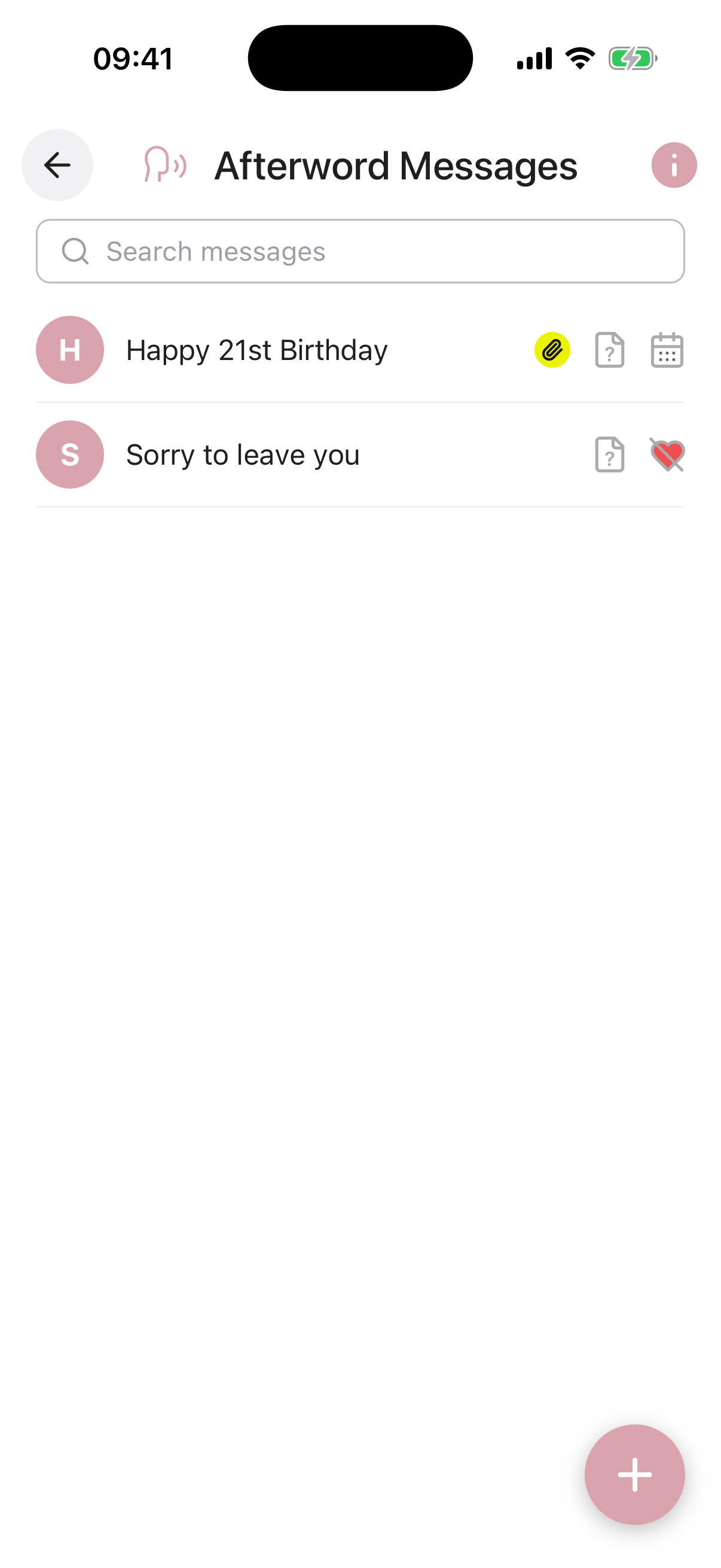
Each message in the list shows icons at a glance so you can see its delivery timing and status without opening it.
-
Write your messages, in your own voice. Each message can be a written note, a voice recording, or a video, and you can create as many as you like. A short video of you laughing, telling a story, or simply saying “I love you” carries something that words alone cannot. Record a message for your partner, a separate one for each of your children, a clip for a grandchild to watch when they are old enough, or a voice note for a friend who will need to hear you one more time. Address each one to a different person, set it to arrive at the right moment, and use Draft while you are still working on it. Switch to Complete when it is ready to be sent.
-
Choose a delivery time. Set each message to deliver On Passing, so your Digital Executor can release it when the time comes, or On Date for a scheduled future delivery such as a birthday, anniversary, or milestone.
-
Your Digital Executor delivers them. When notified of your passing, your Digital Executor can release On Passing messages to recipients through Inheritable. On Date messages are handled automatically on the date you set.
Only messages with a Publish State of Complete will be delivered. Messages left in Draft will not be sent, giving you a safe space to write without committing until you are ready.
There is no limit on the number of messages you can create. You can write one message for everyone or individual, personal messages for each person. You can return and edit any message at any time, and change it back to Draft if you want to revise it before it is delivered.
Message Title required. A name for this message so you can identify it in your list, for example “For Ruby on her wedding day” or “Goodbye my friends”.
Recipient(s) required. The person or people this message is intended for. You can address a single contact or multiple recipients from your contacts list.
Deliver required. Choose when this message should be delivered. On Passing sends it when your Digital Executor confirms your passing. On Date schedules it for a specific future date, regardless of timing.
Message required. The content of your message. Write as much or as little as you like. You can also attach a photo or video to accompany your words.
Publish State required. Set to Draft while you are still writing or editing. Switch to Complete when the message is ready to be delivered.
Reminder. Set an optional reminder for this message, with its own title, a short note, a date, and how often it should repeat (once, weekly, monthly, and so on). You can switch the reminder on or off at any time.
Attach Document / Photo / Video. Include a photo, video, or other file alongside your message, such as a favourite photograph or a short video recording. You can upload from your device or pull a file straight from your Digital Vault.